Decrypting HP printer firmware (.ful2) and settings backups
On HP scanners, the SMB credentials configured for scan-to-folder are hidden from admins: even with the device's admin password (or default credentials), you can overwrite them, but they are not revealed. HP devices do offer a settings backup/restore feature protected by an admin-chosen password, but the backup file itself is encrypted with an undocumented scheme, so not even the admin who made it can read the contents.
I wanted to get more into hardware reverse engineering, so this seemed like a fun target. This post walks through reverse engineering the backup format on the HP OfficeJet Pro 9000 series, and along the way the .ful2 firmware encryption used across several HP printers and scanners (verified on HP Envy Foto 6232, OfficeJet Pro 9010, OfficeJet Pro 9020).
You can find the scripts for decrypting .ful2 firmwares and the user settings on my GitHub.
Unpacking an HP Update
As I only have seen the HP OfficeJet Pro 9020 during a previous pentest and did not have access to it anymore, I downloaded the firmware of it in hope of throwing it into Ghidra and getting an easy win.
$ 7z l OJP9020_2607A.exe

[...]
2026-02-12 15:06:49 ....A     70268107               manhattan_hi_dist_pp1_002.2607A_nonassert_appsigned_lbi_rootfs_secure_signed.ful2
[...]
$ 7z x OJP9020_2607A.exe manhattan_hi_dist_pp1_002.2607A_nonassert_appsigned_lbi_rootfs_secure_signed.ful2
However, the firmware itself was encrypted (AES-CBC over zlib, as we'll find later), except for the header:
$ cat manhattan_hi_dist_pp1_002.2607A_nonassert_appsigned_lbi_rootfs_secure_signed.ful2
-12345X@PJL
@PJL COMMENT MODEL=HP OfficeJet Pro 9020 series
@PJL COMMENT VERSION=MANHHIPP1N005.2607A.00
@PJL COMMENT DATECODE=20260210
@PJL UPGRADE SIZE=72135159
-12345X@PJL COMMENT (null)
@PJL ENTER LANGUAGE=FWUPDATE2
740
<?xml version='1.0' encoding='UTF-8'?>
<manifest xsi:noNamespaceSchemaLocation='webfwupdate.xsd' xmlns:xsi='http://www.w3.org/2001/XMLSchema-instance'>
    <version>0.9</version>
    <signature>
        <signature_template_id>49be5195-1daa-474a-a957-1aa4ae38d9b1</signature_template_id>
        <public_key_id>bdfcc564-a078-4112-a089-179e73831f27</public_key_id>
        <signature_value>AgIAAAFrABQBAKRrB1zL37mfFrEdn4n56Z/q/fU/3tG90vfuxSSmJJkhwVaye7mMhiTe4f9/uHL8s7qwFpKXtPAohQjMNQoSkQbC3Gybd3mVDGt1+3Ez9JFVLJIrLYQN/9HUud7opsHuU4GVTvc+BLODpp0blFi/4hq8QbLXSiElbNdmAxH+hZeW/HF6VBYnvvUZyqH8dWV/57mAXDDy1hdv9yrPizNVC/IowHe9hIOQzExfxOh6ALpQTGsf8AOjKwLlQ9a6IAfB36cERmjHNPtoT+Kt8jDqzXOzAO59NfL3VXC+bM3PkzitN6Wn0iklLNae6xgleyln2/TZWFKSuGR44o4bVNu56tE=</signature_value>
        <digest>6Gg26W+bEm6d+/teQC7CWVVga2eY5URZZaL/QJgZx9M=</digest>
    </signature>
    <signedInfo>
        <update_type>optional</update_type>
        <current_revision>ANY</current_revision>
        <updated_revision>MANHHIPP1N005.2607A.00</updated_revision>


        <LBI_blob>
            <blob_path>MANHHIPP1N005.2607A.00/lbi_blob.MANHHIPP1N005.2607A.00_from_ANY</blob_path>
            <size_compressed>8083633</size_compressed>
            <size_uncompressed>9009792</size_uncompressed>
            <blob_digest_compressed>FGbbmXOFINjm5SPUdl5j84npfyhXgd9fBDfXkXUp2E0=</blob_digest_compressed>
            <blob_digest_uncompressed>oIOs1VSN923xKJ2xnHkMpkdiDcXNAP6hoLLLRXnliKk=</blob_digest_uncompressed>
        </LBI_blob>
        <rootfs_blob>
            <blob_path>MANHHIPP1N005.2607A.00/rootfs.MANHHIPP1N005.2607A.00_from_ANY</blob_path>
            <size_compressed>64049556</size_compressed>
            <size_uncompressed>78512128</size_uncompressed>
            <blob_digest_compressed>sLqj5uBZo+t4xCyNBxzZWLUKR9WdBgyuMndO3TI1/8c=</blob_digest_compressed>
            <blob_digest_uncompressed>hxL+s8twRkwnVMwh5uOGwqRp5/8h0tGbYxWwboWnNuI=</blob_digest_uncompressed>
        </rootfs_blob>


    </signedInfo>
</manifest>
7B58C0
[binary data]
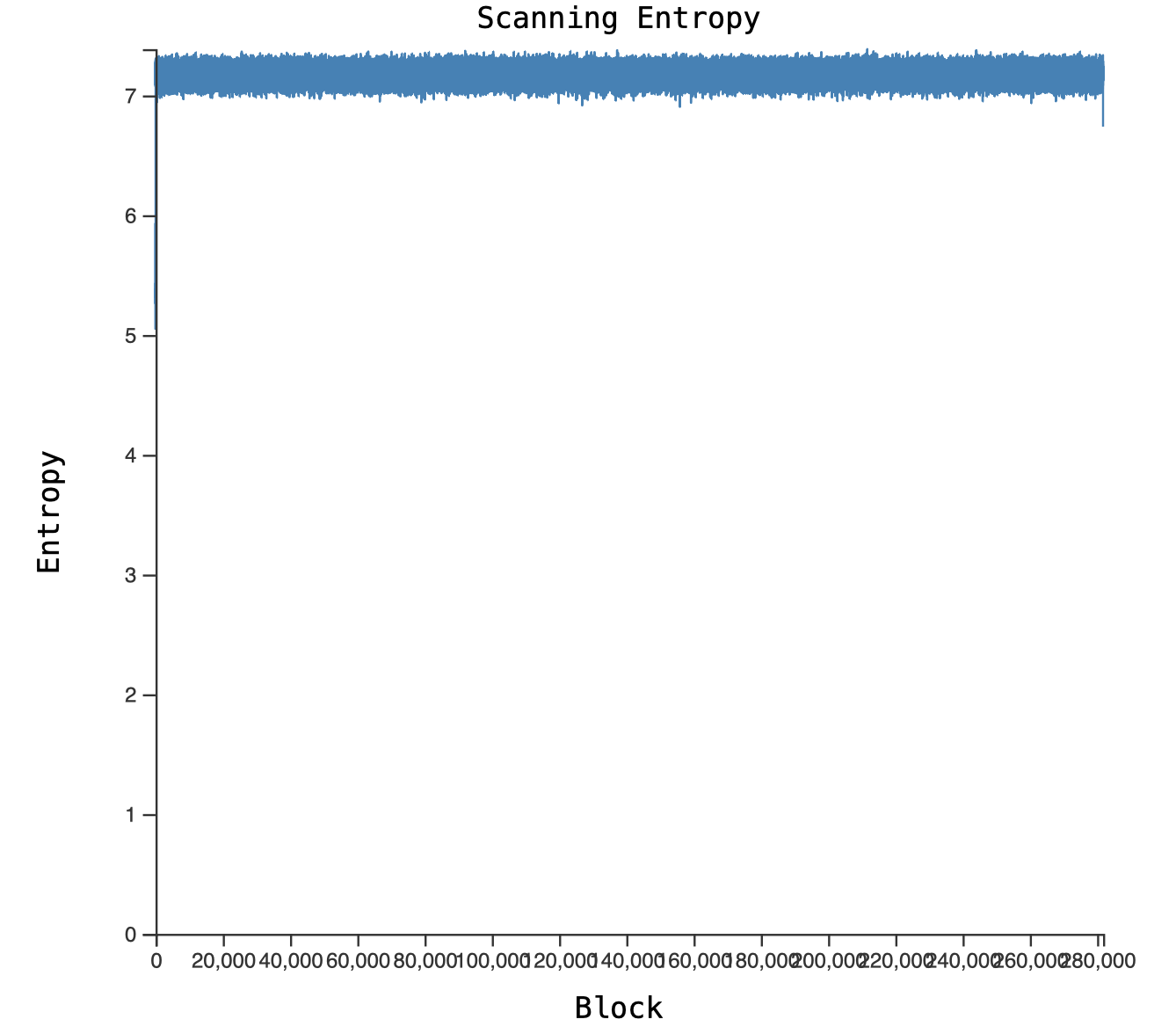
Plotting the entropy shows that the payload is encrypted or compressed, with only the plaintext header standing out:
Getting and disassembling a similar printer
The easiest solution seemed to be dumping the memory chip of the same printer model, however at the time no one was selling or giving away exactly this model, so instead I got a similar model which also used the .ful2 firmware format, which is an HP Envy Foto 6232 I got for 10€ on Kleinanzeigen, which did not print anymore.
Unfortunately it did not have the backup functionality, but if we get the firmware decryption routine off the printer, we can also reverse engineer the other model.
With physical access I could disassemble it and desolder the memory chip (ripping some traces in the process, the chip did survive though):
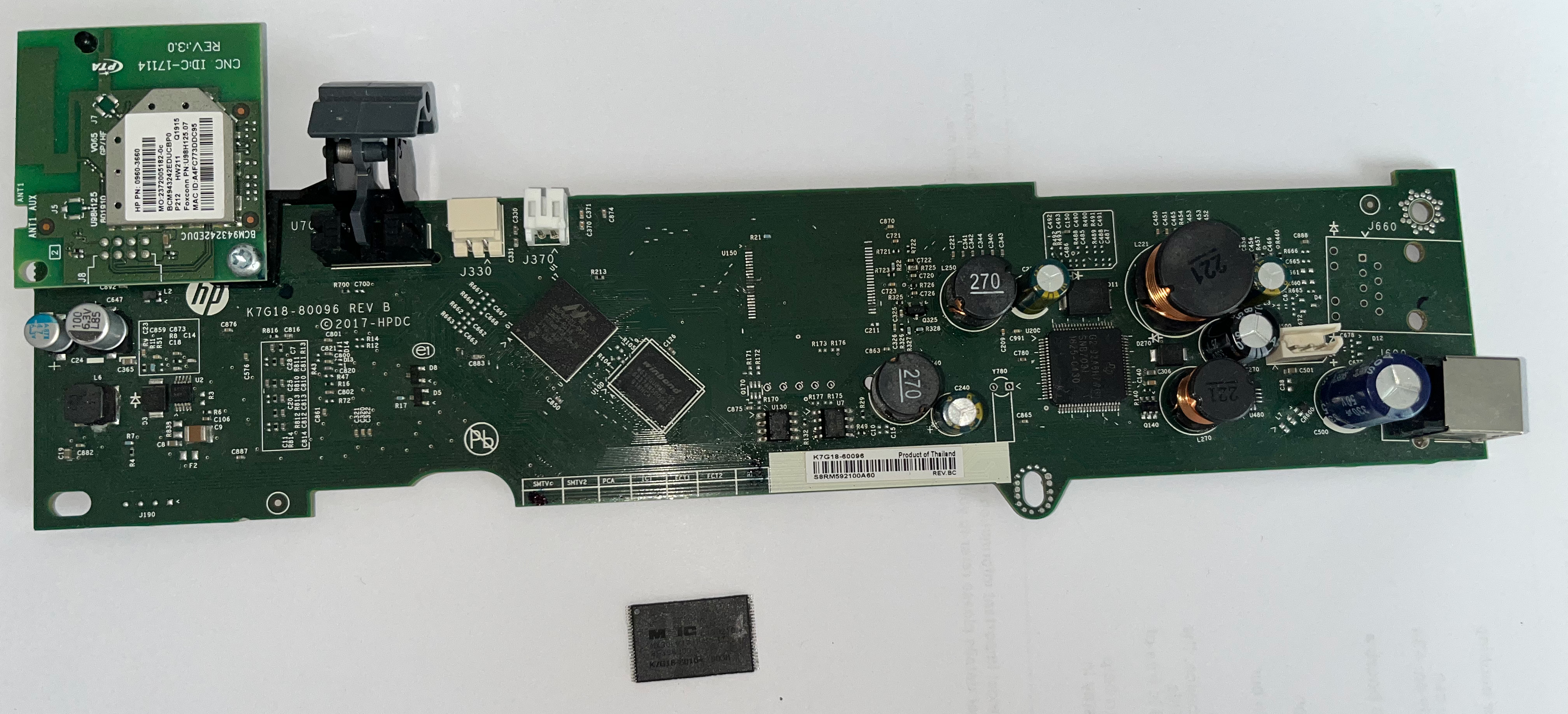
I then threw the memory chip into my XGecu T56:
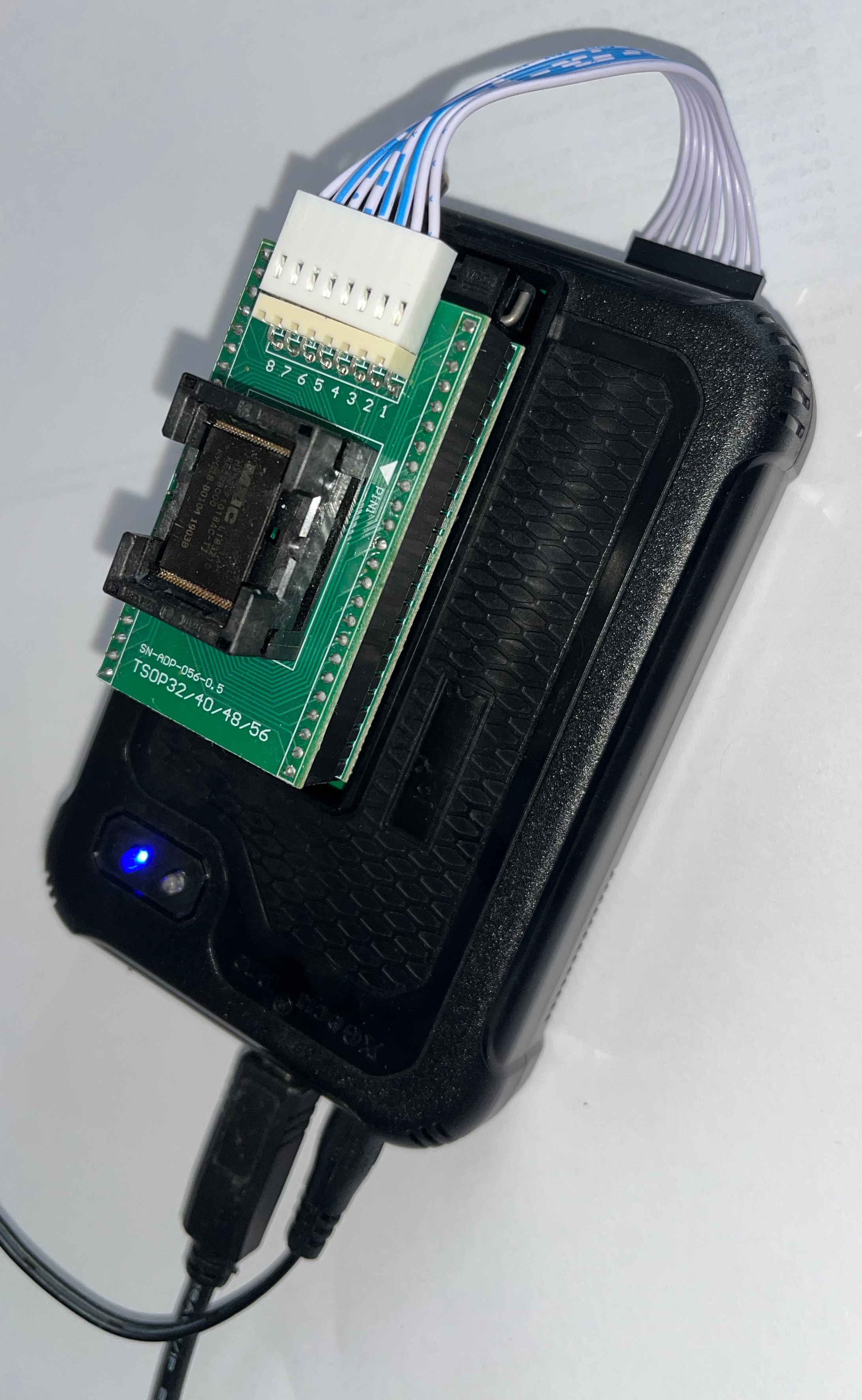
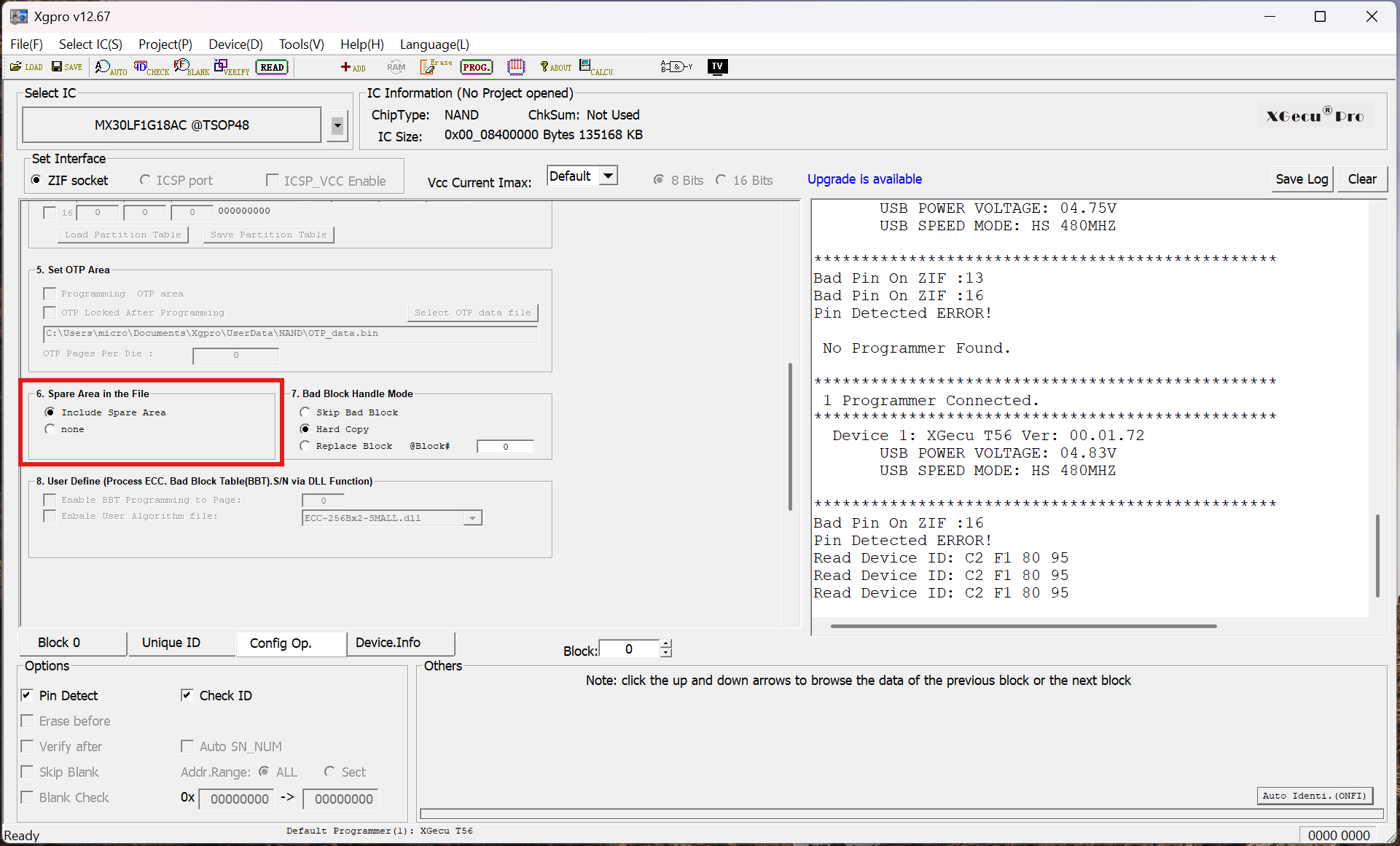
After adjusting the pins in the slot, I got an ID:
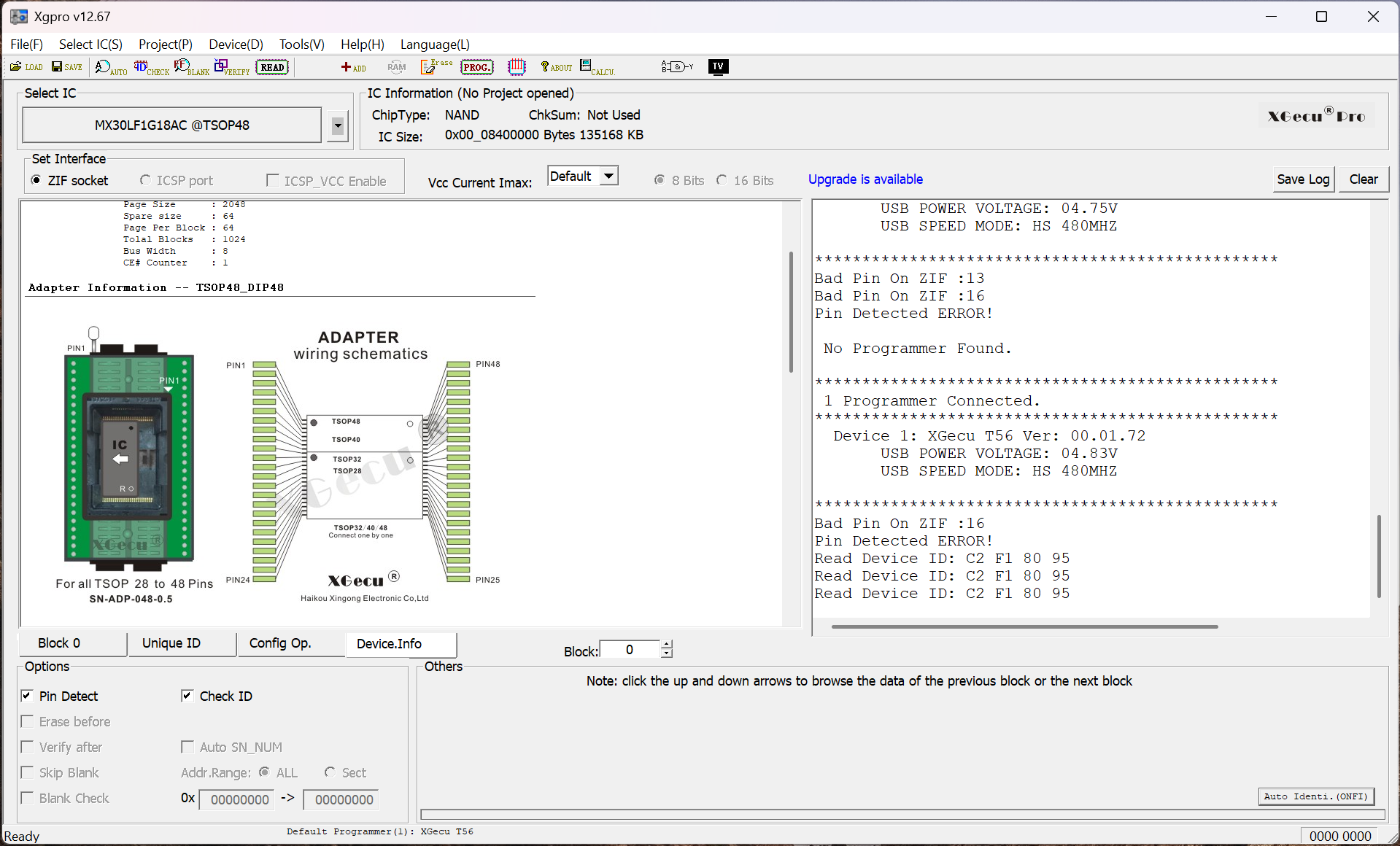
binwalk does not work with the spare area of the chip dumped, so I disabled that in the software:
Running binwalk on the image showed two UBI images:
$ binwalk -e hp_envy_big_chip_MX30LF1G18AC_no_spare.bin

----------------------------------------------------------------------
DECIMAL     HEXADECIMAL   DESCRIPTION
----------------------------------------------------------------------
21596       0x545C        SHA256 hash constants, big endian
3143288     0x2FF678      gzip compressed data, operating system: Unix, timestamp: 1970-01-01 00:00:00, total size: 3620793 bytes
6764544     0x673800      Device tree blob (DTB), version: 17, CPU ID: 0, total size: 11393 bytes
10092544    0x9A0000      UBI image, version: 1, image size: 92798976 bytes
102891520   0x6220000     UBI image, version: 1, image size: 22282240 bytes
129601144   0x7B98E78     gzip compressed data, operating system: Unix, timestamp: 1970-01-01 00:00:00, total size: 3620125 bytes
133222400   0x7F0D000     Device tree blob (DTB), version: 17, CPU ID: 0, total size: 11418 bytes
----------------------------------------------------------------------
[+] Extraction of gzip data at offset 0x2FF678 completed successfully
[+] Extraction of dtb data at offset 0x673800 completed successfully
[+] Extraction of ubi data at offset 0x9A0000 completed successfully
[+] Extraction of ubi data at offset 0x6220000 completed successfully
[+] Extraction of gzip data at offset 0x7B98E78 completed successfully
[+] Extraction of dtb data at offset 0x7F0D000 completed successfully
----------------------------------------------------------------------

Analyzed 1 file for 85 file signatures (187 magic patterns) in 608.0 milliseconds
I could now unpack the UBI filesystem using ubireader_extract_files:
$ ubireader_extract_files img-87517464_vol-rootfs.ubifs
Extracting files to: ubifs-root
decompress Warn: LZO Error: EResult.LookbehindOverrun
_process_reg_file Warn: inode num:1666 path:ubifs-root/usr/lib/libnetsnmp.so.30.0.3 :can't concat NoneType to bytearray
The warning did not seem to affect the extraction beyond that one file.
ful2
Grepping the unpacked rootfs for strings from the update manifest yielded a single hit:
$ grep -r blob_digest_compressed
grep: usr/local/bin/fwupd: binary file matches
I loaded the binary into Ghidra, and found the well-named function fwupd_install, which uses fwupdCodec::read(fwupdCodec *this,void *dest_buffer,uint dest_size) for the decryption of the firmware file using AES_cbc_encrypt, after initializing the AES key material in fwupdCodec::configure(fwupdCodec *this,uchar *param_1,bool param_2) using AES_set_decrypt_key. The key is created by a SHA256 sum of a couple data points:
- First, the string
@* WebFWUpdateis deobfuscated using a simple XOR routine:
>>> ARRAY_000437eb = [ 0x00, 0x14, 0x7f, 0x76, 0x00, 0x3d, 0x3b, 0x1c, 0x0c, 0x09, 0x2d, 0x3a, 0x3e, 0x14, 0x04, 0x00 ]
>>> s = b''
>>> j = 0x54
>>> for i in range(1,len(ARRAY_000437eb)-1):
...     s += (ARRAY_000437eb[i] ^ j).to_bytes()
...     j += 1
>>> s
b'@* WebFWUpdate'
- The firmware model
fwupdConfig::fw_model, so for the HP Envy firmware it isPALMIN, for the model we are interested in it isMANHHI base_mdfromfwupdConfig::base_md, but this is unused for the firmware images I had- And lastly, the
blob_digest_uncompressedentry from the header
After some failures of getting these settings right, I resorted to Claude, which pointed out that only the first six lowercase letters of the firmware model are used, so palmin and manhhi. With that, I could create a decryption script in python:
import base64
from Crypto.Cipher import AES
import hashlib
from pathlib import Path
import sys
import xmltodict
import zlib

input_file_name = sys.argv[1]

data = Path(input_file_name).read_bytes()

# parse XML
xml_start = data.index(b'<?xml')
xml_end = data.index(b'</manifest>\n')+len(b'</manifest>\n')
xml = data[xml_start:xml_end]
parsed_xml = xmltodict.parse(xml)

# get firmware specific secrets
fw_model = parsed_xml['manifest']['signedInfo']['updated_revision'].lower()[:6]
secret = '@* WebFWUpdate'

cur_data_end = xml_end

for blob in ['LBI_blob', 'rootfs_blob']:
    # get blob specific digest
    blob_digest_uncompressed = base64.b64decode(parsed_xml['manifest']['signedInfo'][blob]['blob_digest_uncompressed'])
    # calculate key and setup AES
    key_material = hashlib.sha256((secret + fw_model).encode() + blob_digest_uncompressed).digest()
    aes_key = key_material[:16]
    iv = bytes(16)
    cipher = AES.new(aes_key, AES.MODE_CBC, iv)

    # for each blob, the encrypted size in hex comes first, then a newline
    size_end = data.index(b'\n',cur_data_end)
    size = int(data[cur_data_end:size_end],16)
    cur_data_end = size_end+1+size
    cur_data = data[size_end+1:cur_data_end]

    # decompress and save blob
    compressed = cipher.decrypt(cur_data)
    plaintext = zlib.decompress(compressed, wbits=-15)
    Path(f'{input_file_name}_{blob}.bin').write_bytes(plaintext)
binwalk confirms that everything decrypted successfully:
$ binwalk palermo_minus_dist_pp_003.2420A_nonassert_appsigned_lbi_rootfs_secure_signed.ful2_LBI_blob.bin

----------------------------------------------------------------------
DECIMAL     HEXADECIMAL   DESCRIPTION
----------------------------------------------------------------------
6840768     0x6861C0      Device tree blob (DTB), version: 17, CPU ID: 0, total size: 11393 bytes
----------------------------------------------------------------------

Analyzed 1 file for 85 file signatures (187 magic patterns) in 55.0 milliseconds

$ binwalk palermo_minus_dist_pp_003.2420A_nonassert_appsigned_lbi_rootfs_secure_signed.ful2_rootfs_blob.bin

----------------------------------------------------------------------
DECIMAL     HEXADECIMAL   DESCRIPTION
----------------------------------------------------------------------
0           0x0           UBI image, version: 1, image size: 50724864 bytes
----------------------------------------------------------------------

Analyzed 1 file for 85 file signatures (187 magic patterns) in 30.0 milliseconds
And the same routine also worked for the firmware of the HP OfficeJet Pro 9020:
$ binwalk manhattan_hi_dist_pp1_005.2607A_nonassert_appsigned_lbi_rootfs_secure_signed.ful2_rootfs_blob.bin

----------------------------------------------------------------------
DECIMAL     HEXADECIMAL   DESCRIPTION
----------------------------------------------------------------------
0           0x0           UBI image, version: 1, image size: 78512128 bytes
----------------------------------------------------------------------

Analyzed 1 file for 85 file signatures (187 magic patterns) in 43.0 milliseconds
bksettings
The OfficeJet firmware had a few more binaries, one of which is called bksettings, which is responsible for reading and writing the backup setting files.
The function FUN_00017af8(int param_1,int fd,char *password) seems to be handling the decryption, it uses an HP internal crypto library using functions starting with EVP_, like EVP_sha256, EVP_aes_256_cbc, similar to OpenSSL. The decryption key looks like this:
SHA256(file_size | timer | `Is_Th1s=9-Gd(S8c$et*K3y?` | user_password)
I've written a short decryption script which parses the file, and decrypts and decompresses it:
from Crypto.Cipher import AES
import hashlib
from pathlib import Path
import struct
import sys
import zlib

data = Path(sys.argv[1]).read_bytes()
password = sys.argv[2].encode("utf-8")

# 0x00: "BKST" (0x54534b42)
# 0x04: timer values
# 0x10: 32-byte SHA256 outer MAC
# 0x30: inner magic (0x91129215)
file_size = struct.unpack_from("<I", data, 0x34)[0]
timer = struct.unpack_from("<I", data, 0x38)[0]
iv  = data[0x40:0x50]
ciphertext = data[0x50:]

aes_key = hashlib.sha256(
    struct.pack("<I", file_size) +
    struct.pack("<I", timer) +
    b"Is_Th1s=9-Gd(S8c$et*K3y?" +
    password
).digest()


cipher  = AES.new(aes_key, AES.MODE_CBC, iv=iv)
plaintext = cipher.decrypt(ciphertext)

# hmac = plaintext[0:32] # is usually verified, we do not need it
content = plaintext[32:32 + file_size]
plaintext = zlib.decompress(content, zlib.MAX_WBITS|16) # gzip mode
print(plaintext.decode())
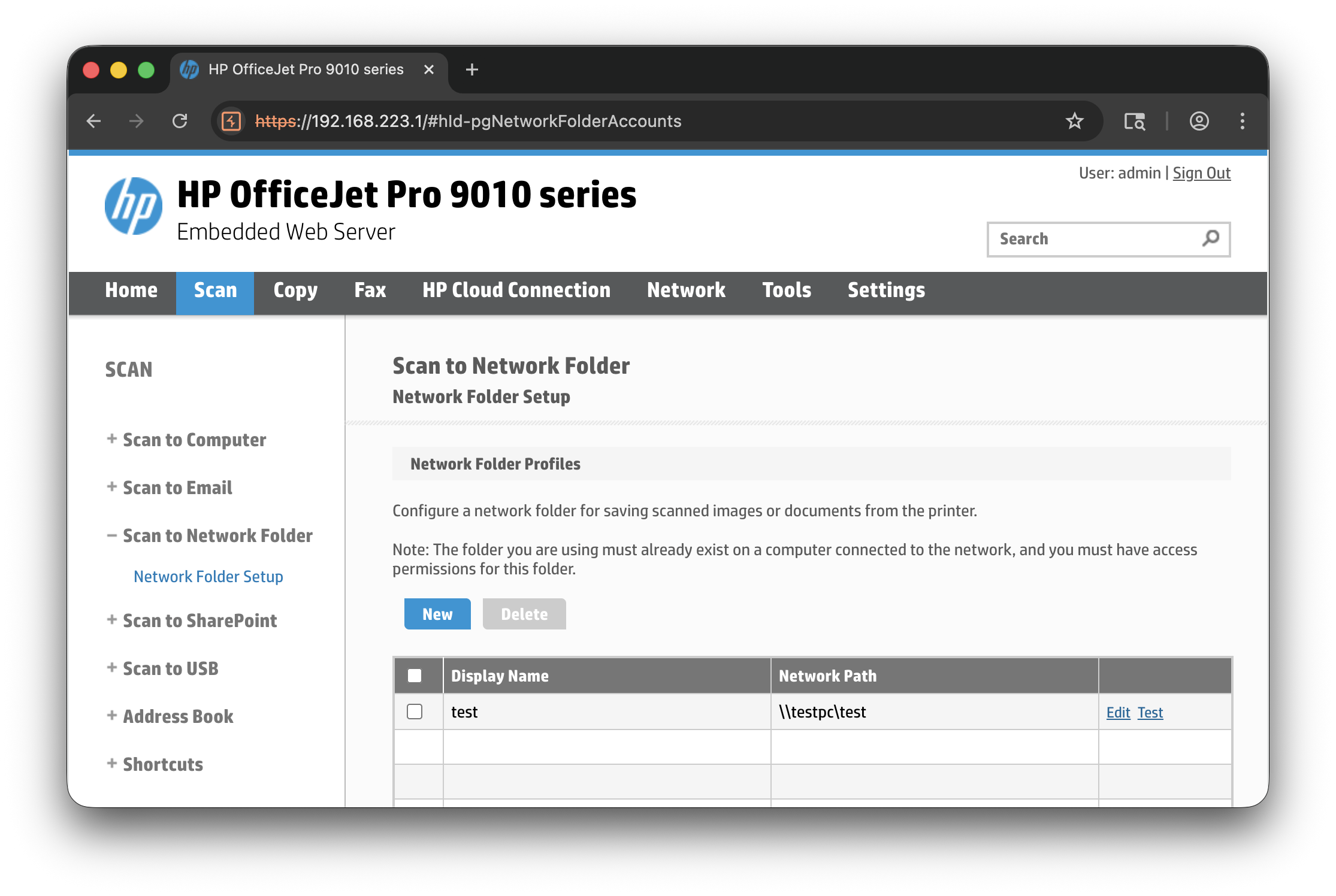
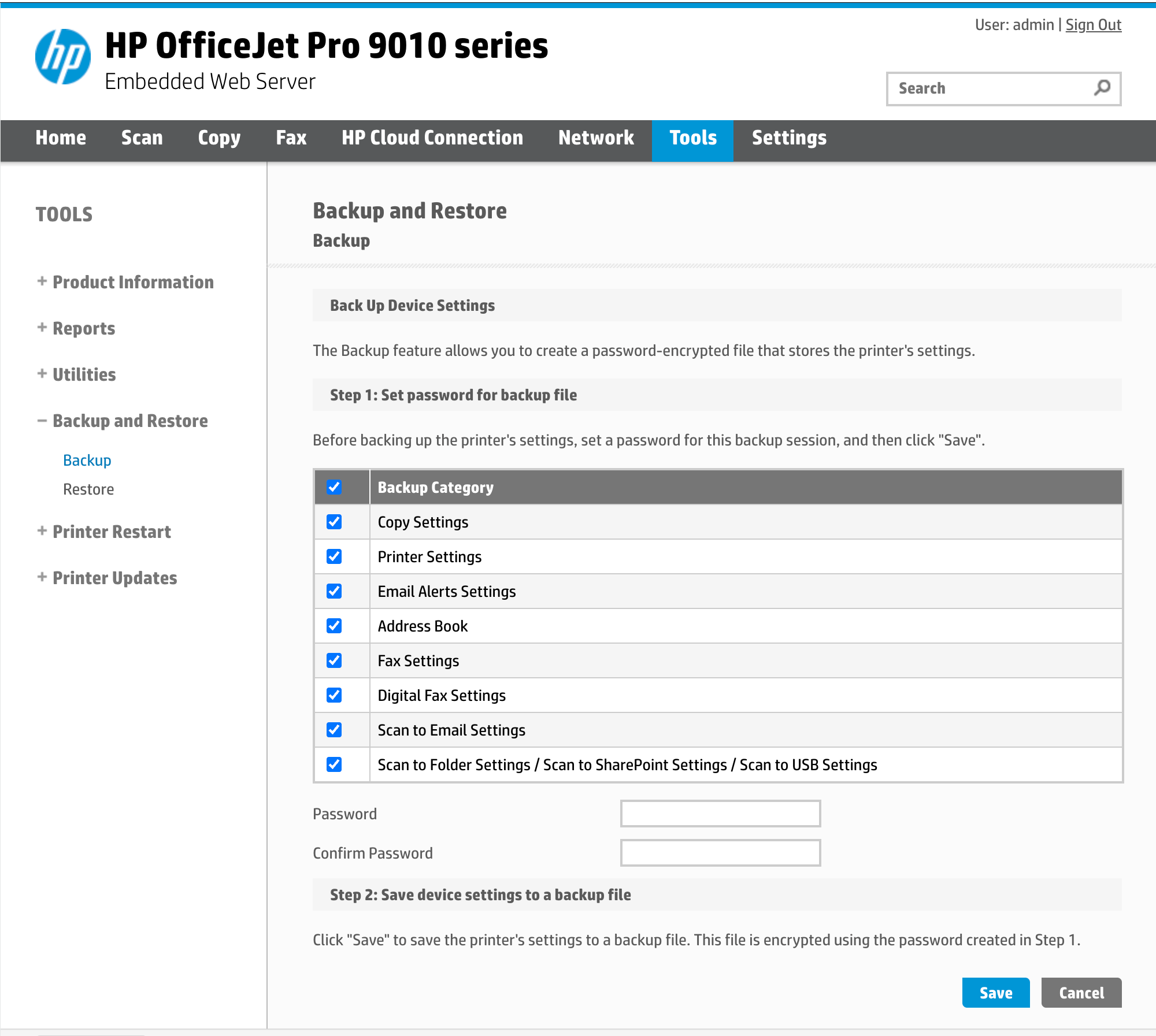
As I did not have access to a scanner with the settings routine, and I did not see any scanners with default credentials in the meantime, I put this project on hold for a couple of months. Then someone gave away another broken printer on Kleinanzeigen for free, an HP OfficeJet Pro 9010, which had both the scan to network feature (here I set up a dummy share with credentials):
and the backup/restore functionality:
The script worked flawlessly:
$ uv run bksettings_decrypt.py ~/Downloads/usrdata-2.enc test | xq
<?xml version="1.0" encoding="UTF-8"?>
<!---->
<Printers xmlns="">
  <Printer_Information>
    <Product_Name/>
    <Printer_Name/>
    <Printer_Number>[...]</Printer_Number>
    <Serial_Number>[...]</Serial_Number>
  </Printer_Information>
[...]
    <Cpnt>
      <CpntName>ScanToFolder</CpntName>
      <CpntCatMask>128</CpntCatMask>
      <CpntVer>10000</CpntVer>
      <Group>
        <GroupName>scantofolder</GroupName>
        <Blob>
          <BlobName>ScantoFolder</BlobName>
          <BlobValue>CgIYARLGARgAIOgHWoIBChAaBHRlc3QiACgAMOvBltEGEg1cXHRlc3RwY1x0ZXN0GgEgKh8KDWltcG9ydGFudHVzZXISDnNlY3JldHBhc3N3b3JkagMSASByNAgaEAA4BXoAggEEc2NhbogBAZIBAKABAqgBAbABGMABAsgBrALQAQDYAQTgAQfoAQDAAgF6AGI3CAFSMwgaEAAoATgFUAGCAQRzY2FuiAEBoAECqAEBsAEYwAECyAGsAtABANgBBOABB+gBAMACAagBAg==</BlobValue>
        </Blob>
      </Group>
[...]
And Base64-decoding the ScantoFolder protobuf blob reveals the credentials:
$ echo CgIYARLGARgAIOgHWoIBChAaBHRlc3QiACgAMOvBltEGEg1cXHRlc3RwY1x0ZXN0GgEgKh8KDWltcG9ydGFudHVzZXISDnNlY3JldHBhc3N3b3JkagMSASByNAgaEAA4BXoAggEEc2NhbogBAZIBAKABAqgBAbABGMABAsgBrALQAQDYAQTgAQfoAQDAAgF6AGI3CAFSMwgaEAAoATgFUAGCAQRzY2FuiAEBoAECqAEBsAEYwAECyAGsAtABANgBBOABB+gBAMACAagBAg== | base64 -d | strings
test"
\\testpc\test
importantuser
secretpasswordj
scan
scan
Conclusion
Besides the backup settings decryption, the .ful2 decryption means anyone curious about HP printer internals can skip the hardware step entirely and download a firmware update, decrypt it, and dig in.
The same format covers a wide range of HP models, so there's a lot of unexplored surface there.
Addendum (26.9.26)
While researching a similar topic, I stumbled onto a blog by Catalpa which did essentially the same process for decrypting the firmware as described here, one year before I published this blog: https://wzt.ac.cn/2025/08/06/hp_firmware_dec/